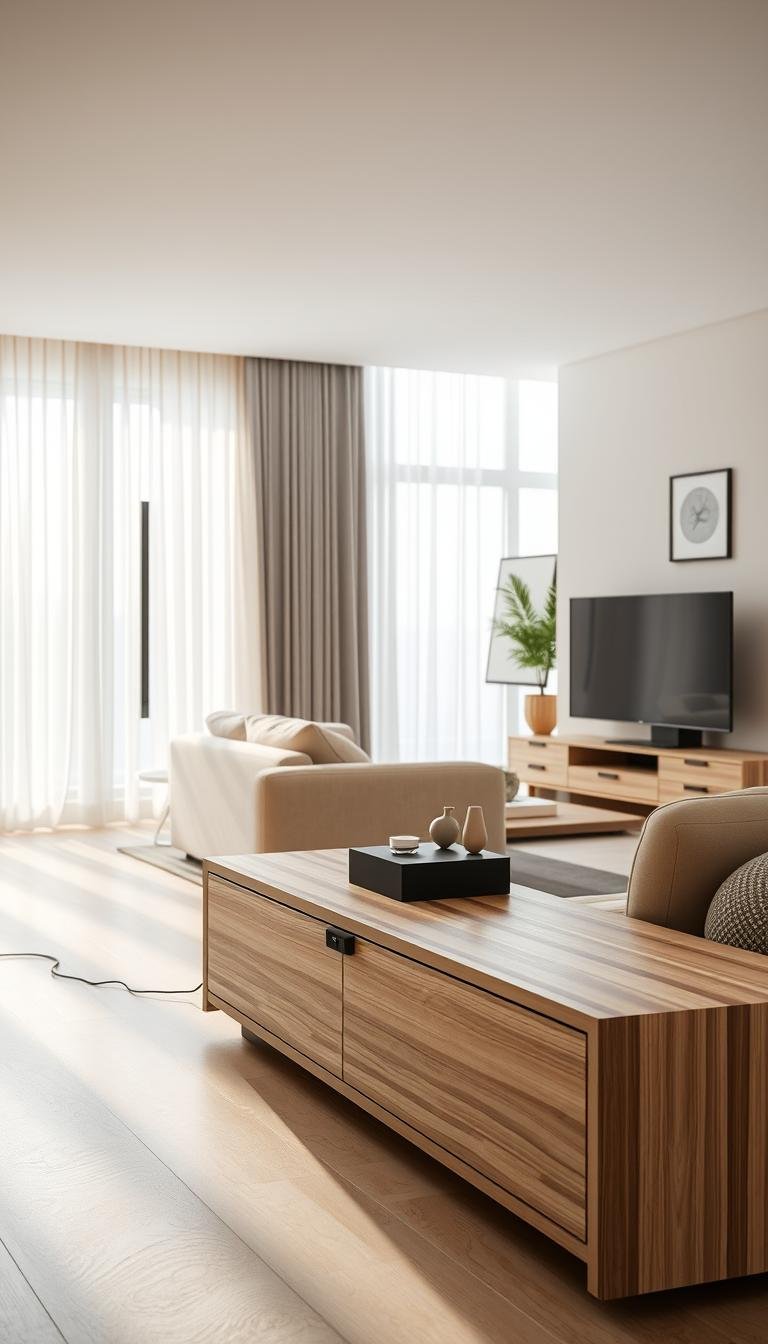
A well-chosen TV unit makes your entertainment area feel organized without taking over the living room. Simple TV unit designs for living room spaces can balance a tidy look with everyday function, even when your home has limited space.
The right setup depends on your room, the equipment you use, and how much you want to display or put away. This list includes floating, freestanding, storage-focused, and space-saving options that suit different interiors. A cable pass-through is an opening in a console or panel that routes cords behind the furniture.
Start with the way you use the room each day, then choose a design that supports those habits.
Simple TV Unit Designs for Living Room: What to Check Before You Choose
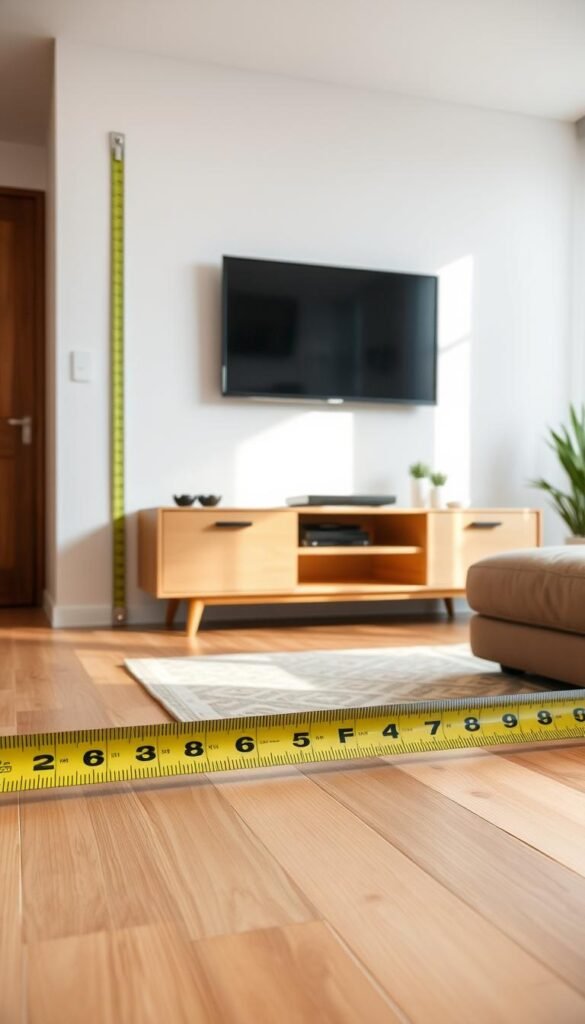
Begin with the wall and the equipment you already own, not a style photo. A practical design fits your television, available area, and storage needs without making the living room feel crowded. Measure first, then compare the furniture against your real setup.
Keep large pieces in proportion, limit visible objects, and leave circulation space. That simple rule answers what makes a living-room design work: it looks calm because each item has a purpose, not because you own less than you need.
What Makes a Simple TV Unit Design Work?
Measure the usable wall width, including nearby doors, windows, and trim. Then measure the TV across its widest points, not by its diagonal screen size. If you plan a freestanding console, measure the floor area where it will sit and check whether nearby furniture can still open or move.
For a simple TV unit design, Walker Edison recommends a stand at least three inches wider than the TV on each side. Check the furniture’s stated weight capacity against the TV’s actual weight and the combined weight of any devices placed on it.
Before choosing a console, confirm that its stated capacity covers the TV and every device you plan to place on it.
Use this checklist while comparing options:
- Wall width available for the unit
- TV width, measured across the screen
- Combined weight of the TV and equipment
- Storage needs for devices and accessories
- Cable route from each device to power and connections
Size the Console for Your Screen and Gear
Measure the equipment as well as the television. A streaming box, game console, or soundbar may need a shelf with enough depth and room around its connections. The cable pass-through lets cords route behind the furniture instead of hanging across the front.
Choose storage based on what you use: drawers suit small accessories, while adjustable shelves can accommodate changing equipment. A narrow console may fit the wall but leave no useful space for devices. Before you decide, check that every cable can reach its connection without crossing a door or visible walking path.
Before choosing a console, confirm that its stated capacity covers the TV and every device you plan to place on it.
Floating and Wall-Mounted Ideas That Keep the Floor Clear
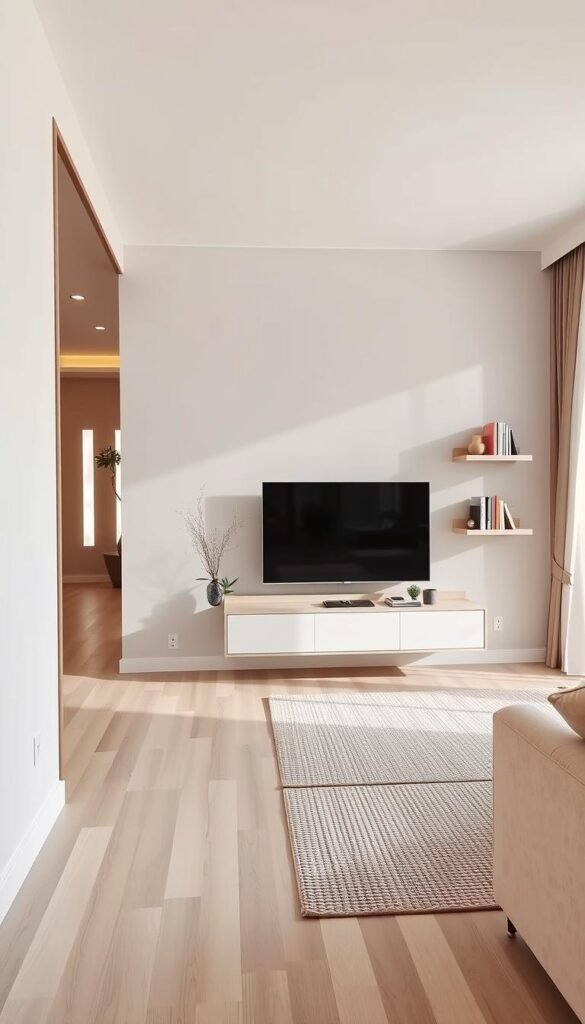
In a compact living room, lifting storage off the floor can make the TV wall feel lighter. A floating unit leaves visible floor beneath it, which can help a small space feel less crowded. Choose the format by how many devices you need close at hand.
Floating TV units can save floor space and create an open look, especially in small homes and apartments. A wall-mounted shelf still needs enough width and support for the equipment it holds. Do not trade usable device space for a thinner profile.
Four wall-mounted designs give you different amounts of storage:
- A minimalist floating drawer unit keeps small accessories behind a plain front.
- A single floating ledge holds a few devices without adding a full cabinet.
- A wall panel paired with a slim shelf creates a defined TV area and device surface.
- A floating drawer with a concealed-cord route hides wiring while keeping storage nearby.
A ledge works well when your equipment is limited and each device fits without crowding. A floating drawer is more useful when you want a place for remotes or spare cables. In either case, choose a position that keeps the devices you use within easy reach.
For more layouts that combine practical storage with a modern appearance, browse these functional TV unit design ideas. The options include wall-mounted and freestanding formats, with different ways to arrange shelves and cabinets.
A floating unit may also work alongside other wall storage, rather than standing alone. If you are planning a larger storage area, an integrated arrangement can give books, media devices, and household items separate places.
Leave enough accessible space for the devices you use, rather than choosing a shelf so narrow that equipment has to be stacked.
Low-Profile Consoles and Simple Freestanding Stands
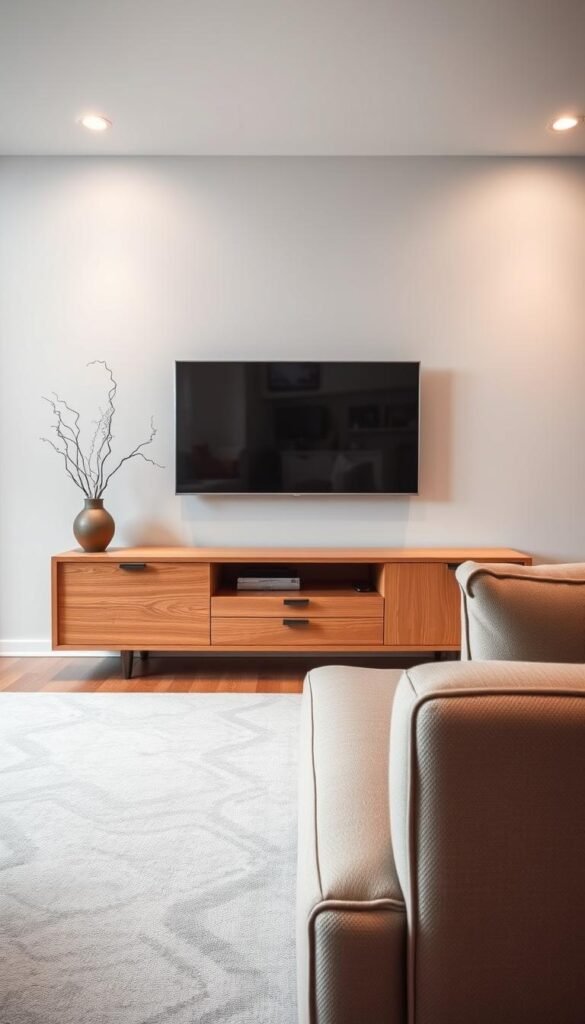
A freestanding console is a straightforward choice when you want storage without building a full TV wall. Low-profile furniture can keep the screen area visually grounded, while its top gives you a place for equipment. Check the shape against the available wall and your storage routine.
A console’s width, height, and depth all affect how it fits the room. Four silhouettes offer a useful starting point: a wide low console, a lighter piece on legs, an open-base stand, or modular cubes that can be rearranged.
Try one of these freestanding arrangements:
- A low-profile, wide console creates a long, quiet line beneath the TV.
- A light-wood console on visible legs gives the furniture a more open appearance.
- An open-base metal-and-wood stand combines a visible frame with storage shelves.
- A modular cube console lets you group storage in a shape that suits the wall.
The examples below show how much listed furniture sizes can vary. They are dimension references, not product endorsements. The Article Ansel Media Unit, for example, is wider than the Sundays Glimpse Media Unit, while both offer storage features for a media setup.
| Model | Width × height × depth | Material | Storage or cable feature |
|---|---|---|---|
| Article Ansel Media Unit | 79 × 22 × 17 inches | Solid oak and oak veneer | Cord-management holes |
| Thuma Nest Media Console | 99 × 20 × 19 inches | 100% upcycled wood | Rearrangeable modular setup |
| Eric Credenza with Storage by George Oliver | 70.87 × 21.25 × 15.43 inches | Not specified | Open and closed storage, cable-management slots |
| Sundays Glimpse Media Unit | 63 × 20 × 18 inches | Tempered-glass surface | Open and closed storage |
The Thuma Nest Media Console has a modular setup that can be rearranged with collection add-ons or swaps. The Article Ansel Media Unit is made from solid oak and oak veneer, while the Glimpse has a tempered-glass surface.
For a natural material palette and furniture with clean lines, see these mid-century living room layout ideas. Their approach can help you coordinate a console with other wood furniture and room details.
Compare the listed width with your available wall length before settling on a silhouette.
Open Shelves and Display Storage Without the Clutter
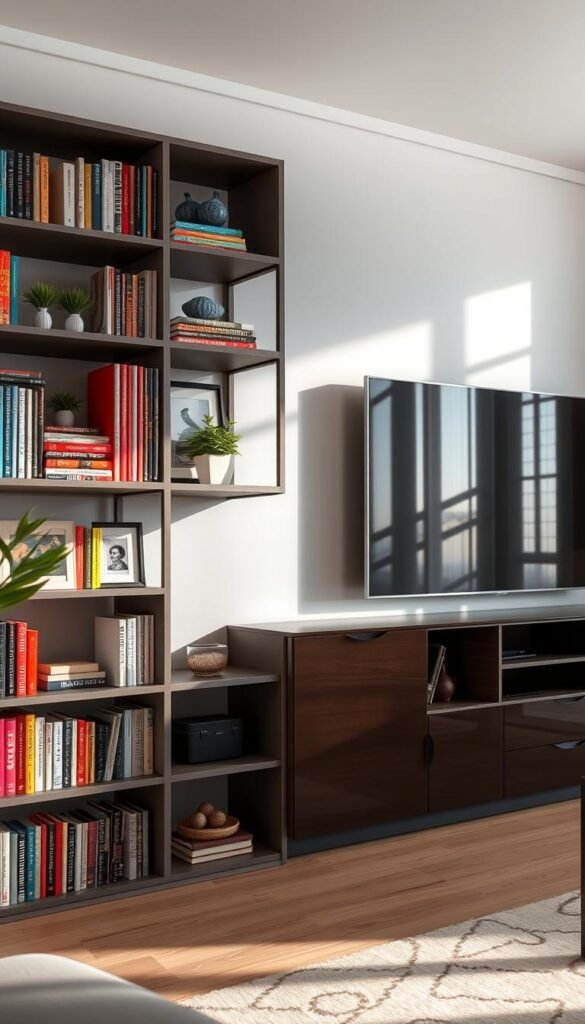
Open shelves work best when each visible item has a reason to be there. Keep frequently used devices accessible and choose only a few objects to display. A little restraint helps shelves look arranged rather than busy.
Open shelves can provide airflow for electronics, while closed cabinets and drawers can conceal cables and accessories. Use the open area for items you reach for, and the closed area for what you do not need to see. That mix can keep the unit useful without turning it into a display wall.
Three arrangements can help you decide what stays visible:
- Open shelves hold frequently used devices and a few display items.
- A bookshelf surround gives books and decor a clear place beside the TV.
- Designated display niches pair small decor areas with closed storage.
Style a shelf with a few books, a plant, or one sculptural object. Leave open areas between those pieces so the display does not compete with the screen. A bookshelf surround can suit a room where books already belong near the seating area.
These examples show different combinations of display and concealed storage:
| Model | Width × height × depth | Material | Storage or cable feature |
|---|---|---|---|
| Design Within Reach Line Media Console | 70.75 × 16 × 17.75 inches | Not specified | Two doors, cord escapes through the bottom panel |
| West Elm Douglas Media Console | 48 × 22 × 18 inches | Solid wood and tatami panels | Cable-organization ports |
| Article Nera Low Media Unit | 63 × 20 × 16 inches | Not specified | Soft-close drawers and cable management |
The Line Media Console has two doors and cord escapes through its bottom panel. The Douglas Media Console uses solid wood and tatami panels, and its cable-organization ports support a cleaner setup.
For more ways to balance useful shelving with a polished focal point, consider these modern luxury TV unit ideas. A display area can feel refined without taking over every surface.
Keep the most-used equipment easy to reach and reserve the display area for a small, deliberate selection.
Closed Cabinets and Smart Storage for Electronics
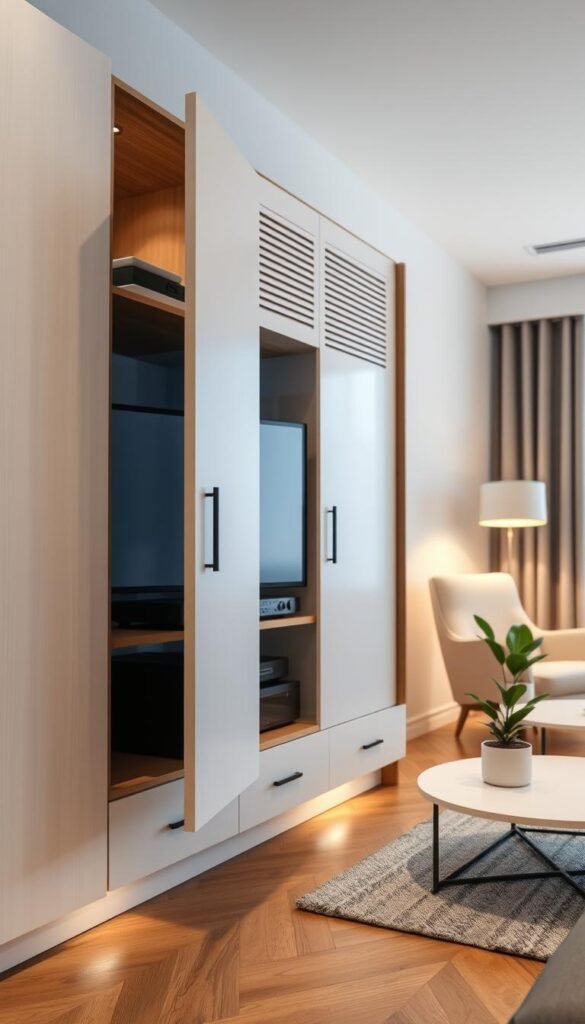
A cabinet can hide clutter, but it should not trap heat around the electronics you use. Closed storage can keep remotes, controllers, and extra cables out of sight. Airflow still matters when a device runs inside the cabinet.
Heat-producing electronics need rear cutouts, ventilation holes, or enough open space for airflow. Fully covering an active device without airflow can cause heat to build up. Keep cable access and device access practical, even when the cabinet front looks minimal.
Choose a storage style that suits the equipment you own:
- A closed-front cabinet hides remotes, accessories, and small household items.
- A ventilated media cabinet has rear cutouts or open space around heat-producing devices.
- A smart-storage cabinet may include integrated charging, smart lighting, or concealed cable management.
Before settling on a closed cabinet, locate the device connections and the route each cord must take. A tidy exterior is less useful if you must move heavy furniture to reach a cable or reset a device.
Some 2026 smart TV cabinets include charging stations, smart lighting, and concealed cable management. These features can simplify daily use, but each one should match a real need. A charging station is useful for devices you regularly charge nearby; extra lighting may add little if the room already has enough light.
A cabinet can also work as part of a larger storage wall, keeping electronics and other belongings together. For compact bedrooms, these space-saving storage ideas show how built-in storage can combine separate functions without adding more standalone furniture.
Check where each device’s heat escapes before closing the cabinet doors.
Small Modern TV Cabinet Designs for Living Room Spaces
A small living room benefits most from a unit that uses a difficult corner or frees up floor area. A compact TV cabinet can preserve useful space without forcing the main seating into an uncomfortable position. Fit the layout first, then choose a unit that works within it.
Modular TV stands and rolling TV carts can be reconfigured or moved as room needs change. A compact design still needs room for the equipment and a stable screen setup. Do not let a smaller footprint make the TV or its devices awkward to use.
Consider these three layouts for limited floor or wall space:
- A corner console makes use of an awkward corner in a room with limited straight wall space.
- A narrow floating unit fits a limited wall while leaving the floor area beneath it open.
- Modular pieces or a rolling TV cart can move when the room’s needs change.
A corner console can suit a room where the main wall is interrupted by windows or doors. A narrow unit may fit a small section of wall, but its surface still has to hold the devices you use. Keep the screen setup steady, especially if other furniture moves around the room.
The USM Haller Media Console measures 60 inches wide, 23 inches high, and 15 inches deep. It has a chromed-steel frame and powder-coated-steel panels. Those dimensions offer one reference point for comparing a compact console with your available furniture area.
For more compact-room planning ideas, explore ways to make space in a one-bedroom apartment. Flexible furniture and clear room zones can help you fit daily activities without crowding the seating area.
Measure the route furniture must take into the room, especially if you are considering a wide or modular piece.
Backdrop Details That Give a Main Hall TV Wall Character
A TV backdrop can add personality without turning the whole wall into a feature installation. A main hall modern TV unit design can use a warm wood panel or a small wood detail behind the screen. Keep the treatment measured so the television remains part of the room.
Place the TV in relation to the room’s main seating area when planning the living-room layout. A restrained backdrop can define the entertainment area without surrounding it with bulky furniture. The screen should remain easy to view from the seats you use most.
Main Hall Modern TV Unit Design With Warm Wood
A warm wood panel can add a natural tone to a main hall without filling the wall with shelves. You might use a wood panel behind the screen or a small wood detail that matches the unit. Light wood and simple, uncluttered surfaces are common in Scandinavian interiors.
The key is balance: let the material give the TV area character while the rest of the wall stays quiet. A wood finish can also connect the screen area with a coffee table or other furniture. Keep the shape of the unit simple if the wood already draws attention.
Wood Slats, Fluting, and Painted Backdrops
Wood slats create a repeated vertical pattern, while fluted panels add narrow ridges across a surface. A painted accent wall offers color contrast without adding another material. Shaker-style panels provide a restrained, recessed-panel look if you prefer subtle structure over a strong pattern.
Pick one main backdrop treatment rather than stacking several textures behind the same screen. These TV wall design ideas also show how material and light can shape the area around a screen. For a living room, a toned-down version can bring depth without making the wall feel crowded.
- Choose wood slats when you want a visible vertical pattern.
- Use fluting for a fine, repeated texture across a panel.
- Try a painted accent wall when color contrast is enough.
Keep the backdrop and the unit visually balanced so the screen remains easy to view from the main seating area.
Materials, Finishes, and Lighting for a Clean Modern Look
A finish feels modern when it suits the room and stays practical to maintain. Choose materials that connect with your existing furniture, then add lighting only where it improves the room’s feel. Start with the room, not a trend photo.
A current look does not require adopting every popular detail. In 2026, TV-stand trends include floating designs, fluted surfaces, mixed materials, smart storage features, and modular or mobile designs.
Latest TV Unit Design Trends in 2026
To assess a trend, ask whether it suits your wall, storage habits, and existing finishes. A fluted surface can add texture, while mixed materials can connect wood with metal or glass. Modular or mobile furniture may suit a room that changes function over time.
When comparing images of the latest TV unit design, look beyond appearance. Compare the unit’s scale with your room, consider how cables will reach devices, and check whether its storage matches what you need to keep nearby. A photo rarely shows how much equipment the shelves can hold.
Use light with care. Subtle integrated lighting can add a gentle glow around the TV area, while a bright strip may compete with the screen or other room lighting. A clean design can rely on the shape and finish alone, without extra effects.
Modern Luxury TV Unit Design for a Living Room
A modern luxury TV unit design for a living room can use natural wood veneer, a restrained stone-look surface, or subtle integrated lighting. The polished effect comes from thoughtful choices, not from building a full wall around the screen. Pair one standout finish with quieter surfaces nearby.
MDF gives painted surfaces a smooth base, while veneer uses a thin wood layer over a supporting base. A sample helps you see how either finish looks beside your furniture and under your room’s lighting.
For more ways to bring wall treatments, furniture, and lighting together, see these modern luxury TV wall ideas. A cohesive wall can feel special without needing a large built-in installation.
Use a sample or finish swatch beside your existing furniture before committing to a large wall treatment.
Set Viewing Height, Distance, and Clear Walkways
Comfortable viewing starts with the screen centered near the height of your eyes when you are seated. Measure seated eye level from your usual seat, then compare it with the screen’s center. Small adjustments can help when the TV sits above or below that point.
Place the screen’s middle at seated eye level or slightly below. Vogel’s gives a general center-height range of 105 to 152 centimeters from the floor and recommends measuring from your usual seat. Your seated eye level is a more useful guide than a fixed wall mark.
Place the Screen at a Comfortable Height and Distance
Sit where you normally watch and measure from the floor to your eyes. Compare that height with the screen’s center, not its bottom edge. If the TV must sit higher than eye level, a tilting mount can help angle it down. A swiveling or full-motion mount can suit a room with more than one viewing position.
Viewing distance changes with screen resolution. LG’s formula gives 0.14 feet per inch of screen diagonal for Full HD, and 0.07 feet per inch for 4K and Ultra HD TVs. Those figures provide a starting point, though your comfort also depends on your seat and how you prefer to watch.
A 70-inch TV is not automatically too big for a living room. LG recommends a couch distance of 9.5 feet for a 70-inch TV. The best fit also depends on the viewer, seating position, and screen resolution.
If the seating position varies, a fixed straight-on setup may not serve everyone. A swivel can help direct the screen toward different seats, while a tilting mount can change its angle when its position is higher than eye level.
Keep Walkways and Seating Paths Usable
Plan about 36 inches for a primary living-room walkway. A constrained secondary route may work at 30 inches, though it feels tighter. Measure the narrowest point after placing furniture, including corners, door swings, and recliner footrests.
The 2026 clearance descriptions offer a quick comparison:
| Clear width | Classification | Practical context |
|---|---|---|
| Less than 30 inches | Cramped and restrictive | Avoid for a living-room walkway |
| 30 inches | Tight but usable | May suit a constrained route |
| 36 inches | Comfortable | Primary walkway target |
| 42-48 inches | Spacious | Roomier circulation |
In a smaller room, a secondary path may be narrower than the main route, but check that people can still pass without moving furniture. Door swings and recliner footrests can take up space that looks clear when everything is still.
Emily Henderson recommends 30-36 inches between large furniture pieces when the room allows, or 18-24 inches in smaller rooms. Leave 16-18 inches between a sofa and coffee table so you can reach the table without squeezing past it.
Measure clearance at the narrowest point, including furniture corners, door swings, and recliner footrests. A route that looks open from one angle may tighten where people actually pass.
Walk the route from the doorway to the seating area after arranging the furniture, and check the tightest point with a tape measure.
Choose the Setup That Fits Your Everyday Living Room
A clean-looking setup comes from choosing a unit that fits your routines as well as your room. The best fit suits your screen, equipment, storage habits, and available circulation space. You do not need to follow a particular style if it makes daily use harder.
Before buying or installing anything, measure the wall and mark the intended footprint on the floor. This quick check helps you see how the furniture will sit beside your existing pieces and whether it leaves the room usable.
Measure your screen, wall, and equipment today, then shortlist the designs that satisfy all three.