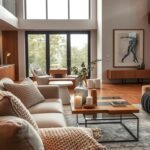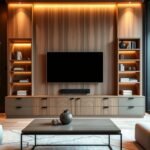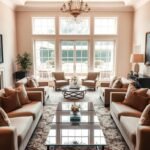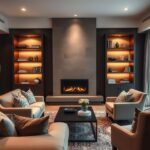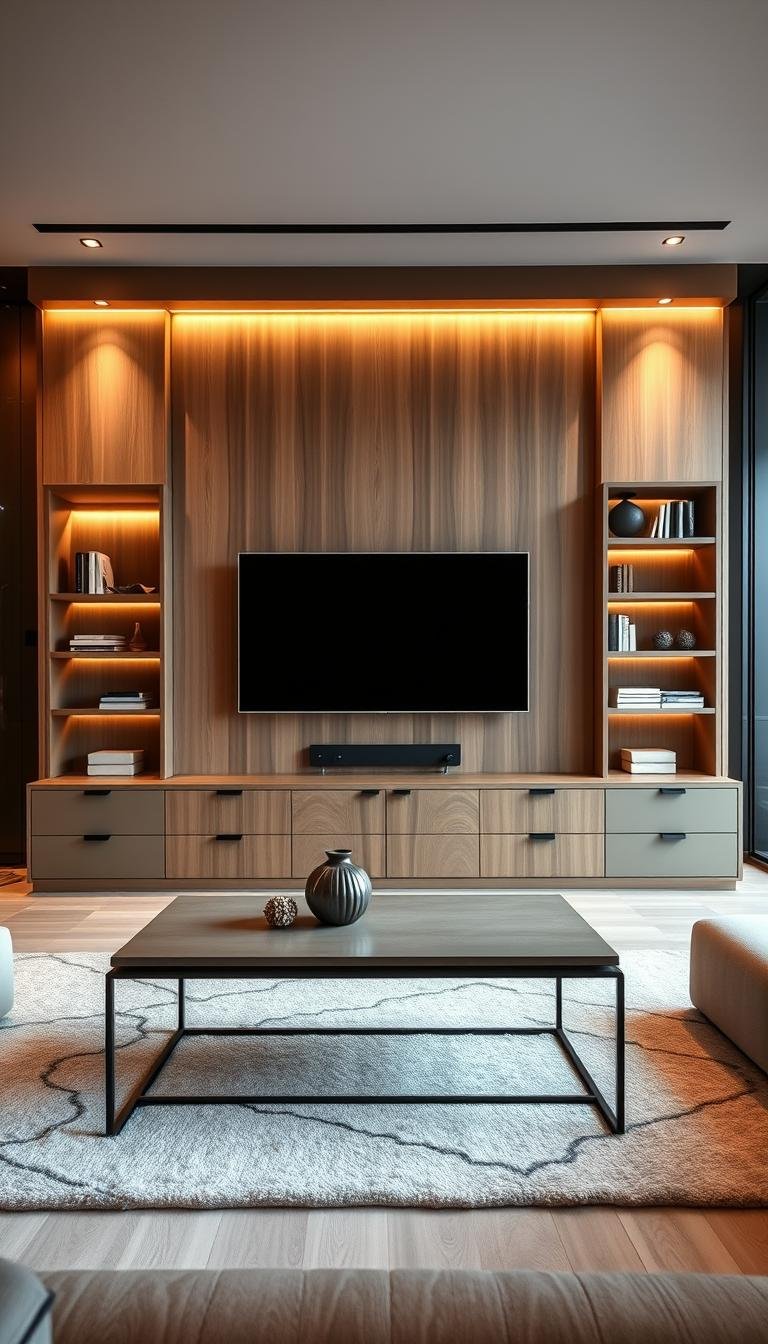
A screen can feel like part of your home’s design when its backdrop, lighting, and storage work together. A media wall is a coordinated arrangement that brings a TV, storage, and surrounding finishes together as one designed feature. Your space can feel more settled when the screen belongs to the room’s composition instead of appearing as an afterthought.
These living room designs tv wall ideas range from calm and minimal to warm, dramatic, and focused on storage. The right setup depends on your home’s scale, how you use the room, and the finishes already in place. A bold surface may suit a large open room, while a quieter treatment can help a compact living area feel less crowded.
Before choosing a look, notice the room’s proportions, flooring, upholstery, and natural light. Those existing details can guide your interior design choices and help the finished wall feel like it belongs. Start with the room you have, then choose a TV-wall look that supports the way you actually use it.
Living Room Designs TV Wall Ideas for a Balanced Focal Point
The most successful TV-wall ideas treat the screen as one part of a coordinated room composition. A balanced focal point brings the screen, storage, and finishes together, so the wall feels designed rather than tacked on.
In 2025, TV-wall schemes combine textured panels, built-in cabinetry, floating consoles, and ambient LED lighting. The screen can sit within a larger composition of joinery, art, and storage. Choose a leading feature, then let the other elements support it instead of competing for attention.
Choose one feature to lead the wall, and let the screen, storage, and finishes play supporting roles.
Modern Living Room Designs for a TV Wall
Modern living room designs for a TV wall often keep visual clutter low with a simple backdrop and streamlined storage. A floating media console can leave the floor open, while concealed joinery helps the screen remain the strongest point. This approach suits you if clean lines and practical storage matter more than a decorative display.
A more decorative design can use textured panels, open shelving, or framed art around the screen. Keep the number of strong finishes limited, especially when your sofa, rug, or flooring already has a bold pattern. For more TV wall design inspiration, look for compositions that balance the screen with useful features.
How to Use TV Wall Design Latest Images
TV wall design latest images work best as a practical mood board, not a room plan. From each image, identify one finish, one lighting idea, and one storage feature you could adapt. Check whether those details fit your wall width, existing finishes, and daily habits before copying the look.
Save images that share a feature you like, then compare how each treats the screen and surrounding space. You might borrow a wood tone from one and a slim console from another. Pick one visual feature from an image and make the rest of the wall support it.
Frame the Screen With Vertical Slats and Warm Backlighting
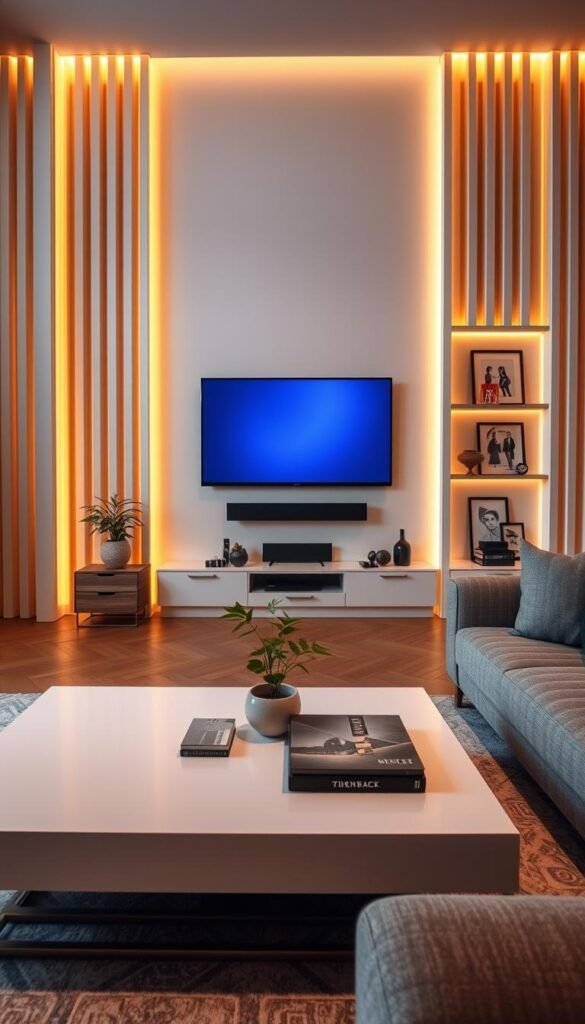
Vertical slats give a blank wall an architectural rhythm while helping the screen read as part of the design. Pale or medium-toned wood adds warmth, and repeated lines can make a living room wall feel taller.
Warm backlighting behind the slats adds depth without making the screen feel isolated. A 2026 TV-wall design can combine vertical slats with warm backlighting to frame the screen. Keep the glow soft enough to reveal the wood rather than turn the wall into a bright feature.
| Treatment | Visual effect | Pairing |
|---|---|---|
| Vertical wood slats | Adds vertical rhythm | Warm backlighting |
| Fluted panels | Adds fine texture | A restrained console |
| Wood paneling | Creates a continuous backdrop | A simple screen frame |
The spacing and tone of the wood affect how prominent the lines feel. Narrow slats create a finer pattern; wider boards make a calmer, broader statement. Test a sample against your flooring in both daylight and evening light, since the same finish can read differently across the room.
A very busy slat pattern can compete with patterned rugs or upholstery. If your largest upholstered piece already has a strong print, choose a quieter slat finish or use the treatment on a narrower section of wall. This keeps the screen and the room’s other patterns from fighting for attention.
Slats can continue behind the screen or frame it within a wider panel, depending on the wall’s scale. Keep edges neat around outlets and any visible hardware, so the treatment looks intentional from the sofa. Test the slat finish beside your flooring and largest upholstered piece before committing.
Pair Marble With Warm Wood for a Rich Backdrop
Marble looks more welcoming when its cool veining is balanced by warm wood and restrained light. Let the stone or stone-look finish act as the statement surface, then use wood paneling or trim to soften the overall backdrop.
Warm wood provides a visual counterweight to cool stone. A marble surface can bring texture and movement to a living room wall, while a simple wood detail keeps the design from feeling too formal. Soft light can reveal the veining without making the whole surface glare.
If a full stone wall feels too heavy for your room, use a stone-look finish across a smaller area behind the screen. The contrast can still feel rich, but the wall keeps more visual breathing room. A quiet edge or narrow trim can define the feature without adding another strong pattern.
Consider how the stone’s veining relates to nearby flooring and furniture. A dramatic pattern can work well when the surrounding decor stays simple; a subtler surface leaves more room for expressive pieces. Look at a sample in the room before choosing, because daylight can shift the appearance of both stone and wood.
Soft light should reveal surface detail rather than become a separate focal point. Use a controlled glow that does not reflect directly on the screen, and keep the arrangement around the TV visually calm. Keep the console and nearby decor quieter when the stone already carries the visual weight.
Create a Simple TV Wall With Symmetrical Panels
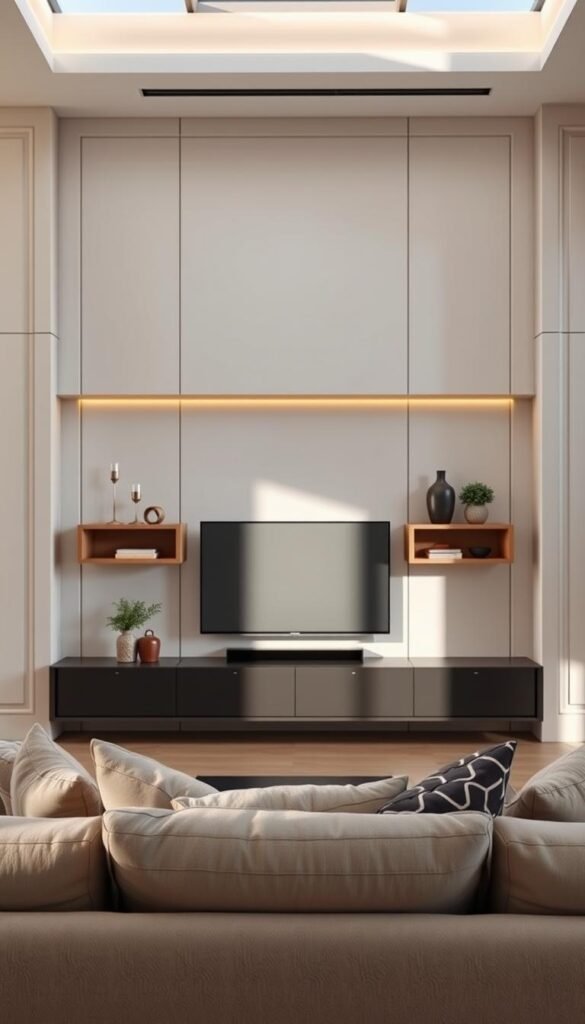
Matching panel lines and a restrained palette make a TV wall feel calm without leaving it bare. Symmetry gives the screen a clear place, while matching details on either side help the composition feel orderly.
A centered screen, repeated panel lines, and a low-profile console create a composed layout. Matching panels or alcoves can flank the TV, giving the walls a consistent pattern without adding a busy finish.
Use Matching Details to Build Balance
Use the same panel width or trim detail on both sides of the screen. Matching proportions help the design read as one arrangement, even when the wall is wide. A muted color can keep attention on the screen and make the paneling feel like part of the room.
You do not need identical objects on each side. A lamp on one side and a small framed piece on the other can feel balanced when their visual weight is similar. Repeat one finish, such as a cabinet color or metal detail, to connect the wall with nearby furniture.
Choose a Simple Modern TV Wall Design for a Living Room
Simple living room designs for a TV wall can use one muted color and a low-profile console. A modern simple TV wall design for a living room works best when the screen, console, and panel lines share a clear center. The repeated alignment keeps the room from feeling visually scattered.
An intentionally asymmetrical room can use uneven shelving while keeping the screen centered. For example, one taller cabinet may balance a low shelf on the opposite side. That variation should feel deliberate, not like an unfinished match. Keep the color and main screen position consistent as the visual anchor.
Simple designs depend on clean edges and a few well-chosen details. Avoid adding trim that breaks the panel rhythm or decor that obscures the screen’s outline. Repeat one finish from the panels in a nearby lamp, frame, or cabinet detail.
Use a Floating Console to Clear the Floor and Hide Cables
A floating console clears the floor and can hide the cables that otherwise break up a clean wall. This wall-mounted storage keeps everyday equipment below the screen without adding full-height cabinetry.
Hidden channels and internal cable management can keep HDMI cords organized. A floating media console can make a small living room feel more open because the floor remains visible beneath it. Choose a unit deep enough for the equipment you use, not just one that looks slim from the front.
Plan where power and HDMI cables enter and leave the console before installation. Hidden channels can guide cords from the TV area to storage, while internal cable management keeps the equipment bay orderly. Check that the cable path still allows you to unplug or replace devices without dismantling the setup.
Keep Storage Proportional to the Screen
A console should suit the screen’s width and the available wall space. A narrow unit may look lost beneath a large TV, while a wide one can crowd a small room. Consider the doors, drawers, and equipment you need before choosing a silhouette.
Floating units differ from full-height cabinetry because they keep storage low and leave the wall above open. They can suit a restrained media wall, especially when you want the screen to remain the main feature. For more floating shelves and cabinets, choose storage that fits how you use the room.
Plan Ventilation and Cable Routes
Gaming consoles need clear airflow around their vents. Ventilated compartments can help prevent gaming consoles from overheating. Do not assume a closed cabinet provides enough ventilation; follow the device’s requirements and leave its vents clear.
- Check console depth against the equipment and its plugs.
- Confirm that equipment has the ventilation its instructions require.
- Plan where cables enter and exit the unit.
- Keep outlets accessible for routine unplugging and changes.
Measure the connected equipment, including the room needed for plugs and cable bends. That small check can prevent a console from sitting crooked or pressing against the back panel. Leave usable airflow around consoles and other electronics even when you want every cord out of sight.
Frame the TV With Built-Ins, Books, and Display Shelves
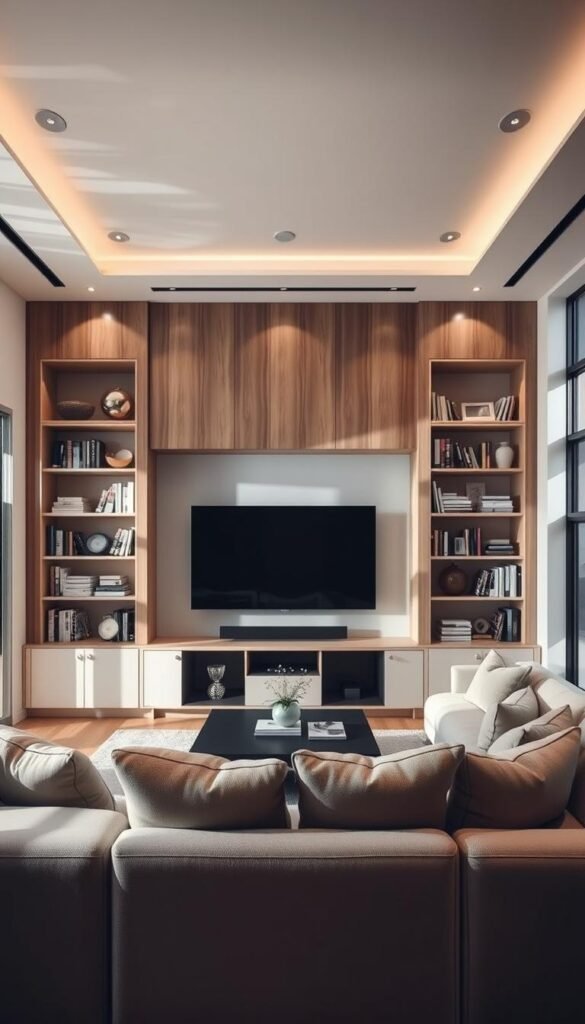
Built-ins give the TV a defined place while adding room for both practical storage and personal objects. Closed cabinets below the screen can hold less attractive items, while open shelves beside or above it make space for display.
A mix of closed cabinetry and open shelves can frame the screen without making every surface decorative. Keep books, framed art, and a few personal objects within reach of the eye, then leave other areas clear.
A designer can tailor shelving to the wall’s shape, but a standard layout is not always necessary. A sloped ceiling or awkward alcove may call for shorter shelves, a fitted cabinet, or a screen positioned within the usable area. The goal is to work with the architecture instead of forcing a cabinet plan that wastes space.
Varying the display objects can make the arrangement feel personal. Place a few books horizontally or vertically, add one framed piece, and include a small object that matters to you. Keep the scale modest so the screen remains easy to see and the shelves do not feel crowded.
Use closed storage for items you reach for often but do not want on display. Open shelving can then hold a smaller number of chosen pieces. This division makes the wall useful for daily life, not just attractive in a photograph.
Think about how the built-ins relate to the rest of the living room. A matching cabinet finish can connect the TV wall with nearby furniture, while a small contrast can mark the screen area. Leave a little empty shelf space so the display feels considered rather than crowded.
Integrate a Fireplace Without Letting It Take Over
A fireplace can anchor the TV wall when the screen and hearth are treated as one composition. A linear electric or gas fireplace beneath the screen creates a shared focal area without requiring the TV to stand alone.
Use a shared finish to visually connect the fireplace and screen. Tile, stone, wood, or drywall can continue around both features, creating a frame that belongs to the living room. Keep the materials and mantel decor simple enough that neither appliance overwhelms the other.
Placing a TV above a fireplace can work, but it depends on the installation requirements and the seated view. A low-profile mount can keep the setup visually neat when the screen sits above the hearth. The TV’s position should remain comfortable from the place where you usually watch.
Before settling on an arrangement, check how the two appliances affect each other’s appearance and use. Mantel objects can be especially distracting when they sit between the TV and fireplace, so keep them limited. Use this short checklist before installation:
- Confirm the fireplace and TV installation instructions.
- Plan access to power and cables.
- Keep mantel objects simple.
- Check the seated view before finalizing placement.
A shared surround can make a fireplace and TV look connected, but each appliance still needs to follow its own installation requirements. Follow the installation requirements for both appliances before settling on an above-fireplace arrangement.
Blend the Screen Into a Dark or Color-Drenched Wall
A deep, low-contrast backdrop helps a black screen blend into the room when it is turned off. Dark paint or subtle wallpaper behind the screen can reduce the visual difference between the display and the wall color.
Color drenching carries one hue across walls, trim, and millwork. Chocolate brown, deep burgundy, navy blue, and saturated green can create a rich living-room mood. Warm tones can bring a sense of warmth, while a cooler navy may feel more restrained.
Soft color drenching can make the trim and built-in details feel like part of one surface. The approach works best when you decide how much of the room should share the hue. A color-drenching overview explains how an all-over color scheme can create a cohesive effect.
Direct light changes how deep shades appear, and a small room’s existing colors also affect the result. A dark wall can feel cozy when the room has warm wood or pale upholstery, but may seem heavier beside several dark surfaces. Check the paint sample beside the screen and nearby finishes.
Subtle wallpaper can add a little texture without taking attention from the display. Choose a low-contrast pattern when the screen is large or the room already has patterned fabrics. A black screen can disappear into a deep wall when the paint does not create a sharp border around it.
Sample the paint beside the screen in both daylight and evening light before covering the whole wall.
Treat the TV Like Art With a Frame or Gallery Arrangement
A gallery arrangement gives the screen visual company instead of leaving it as the only object on the wall. Framed art, a considered mix of pictures, or an art-display TV can make the screen look like part of a collection.
Choose art and frames that suit the wall’s scale, with enough space for the screen to remain easy to view. The artwork does not need to match exactly; a shared color or frame finish can connect the pieces.
Samsung The Frame can display artwork when idle, giving you a screen that shifts toward a decorative role when it is not showing a program. The Neptune Lynton Rectangular TV Mirror takes another approach: it is a mirror designed to cover a TV when it is not in use. These are examples of different ways to soften a dark screen, not endorsements.
A gallery wall needs spacing and scale that suit the available wall. Small frames can look scattered beside a large screen, while oversized pieces may crowd it. A shared palette can bring different art styles together without making every frame identical.
Plan the art arrangement around the screen rather than squeezing it into the last available gap. Keep the most important images visible from your usual seat, and avoid placing frames where they distract from the picture. For more gallery wall arrangement ideas, look for examples with consistent spacing and a clear palette.
Measure the full group, including the frames, before hanging anything. A paper layout on the wall can help you judge the overall shape and leave a comfortable viewing area. Keep the frames and artwork close enough to read as one arrangement, but leave the screen easy to view.
Layer Soft Lighting Around the Screen
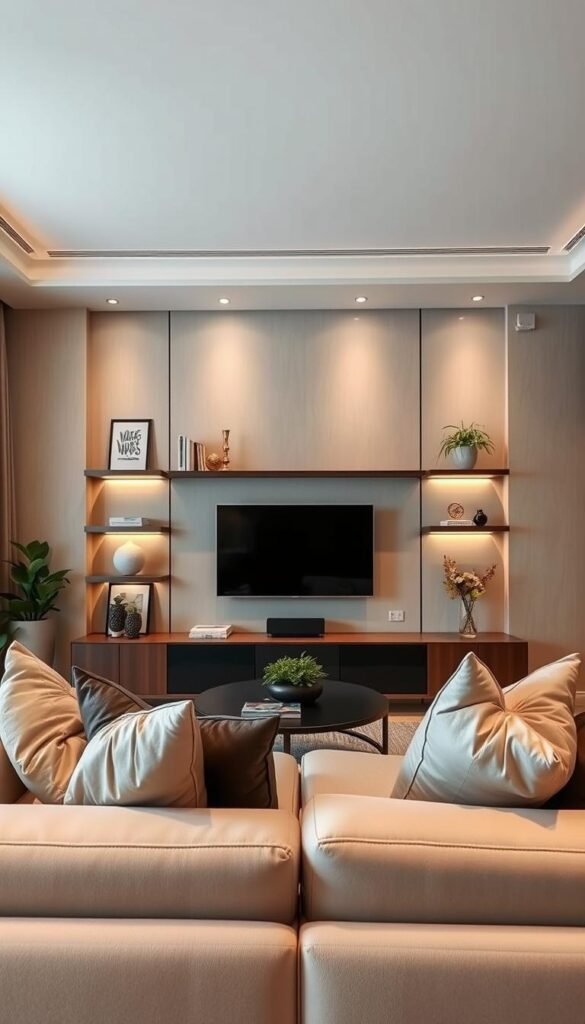
Soft, indirect light can make the TV wall feel inviting without competing with the image on screen. Bias lighting is a soft light source directed back at the wall behind the TV.
A mix of light sources is more comfortable than relying on one intense overhead source. You can combine indirect light behind the screen with warm-toned lighting beneath shelves, sconces, and general room lighting.
Light beneath shelves can highlight decor or add depth to dark corners around a TV unit. Keep that glow focused on the shelf or wall, rather than sending it toward the display. Sconces can provide a separate layer when their beams do not create glare.
General room lighting still matters when the TV is on. A low, even level of light can help the room feel usable without washing out the image. Dimmers make it easier to adjust the atmosphere as daylight fades or the room’s use changes.
Choose fixtures and locations based on the view from your sofa. An exposed bulb can appear as a bright point beside the screen, and a beam aimed at the display can reflect across it. For a room-wide approach, layered lighting ideas show how ambient, task, and overhead sources can work together.
Try each light on its own before combining the layers. This makes it easier to spot a source that is too bright or poorly placed. Test the lights from your usual seat and adjust any source that reflects in the screen.
Add Texture With Tile, Wallpaper, or a Concealing Panel
Tile and wallpaper can give the wall character without requiring a full built-in. A tactile finish can add texture, pattern, or contrast around the screen while keeping the room’s layout intact.
Choose a surface that adds interest without overpowering the large dark screen. Patterned tile can create a crisp, graphic surround, while grasscloth or other textured wallpaper offers a softer look.
A shutter-style MDF board can be made to look like an oil painting when closed, then fold open to reveal a TV. That approach can hide the screen when it is not in use, but the panel needs a practical way to open and close without blocking the display or other objects.
A quiet black-painted border can give a patterned surround visual breathing room. It can separate the screen from a busy surface and make the edges look deliberate. Check that the border width suits the wall and does not make the TV appear boxed in.
Before choosing a finish, consider how much pattern the room already has. A bold rug or patterned upholstery may pair better with a subtle wall treatment. Use this three-point check:
- Choose a pattern scale that suits the wall.
- Check the pattern’s contrast with the screen.
- Confirm the finish suits the room’s existing materials.
Tile and wallpaper samples can look different beside a black display than they do in a store. Hold them near the screen and check them from the sofa. Choose a pattern that remains comfortable to look at beside a large dark screen.
Borrow 2026-2027 Trends for a Warmer TV Wall
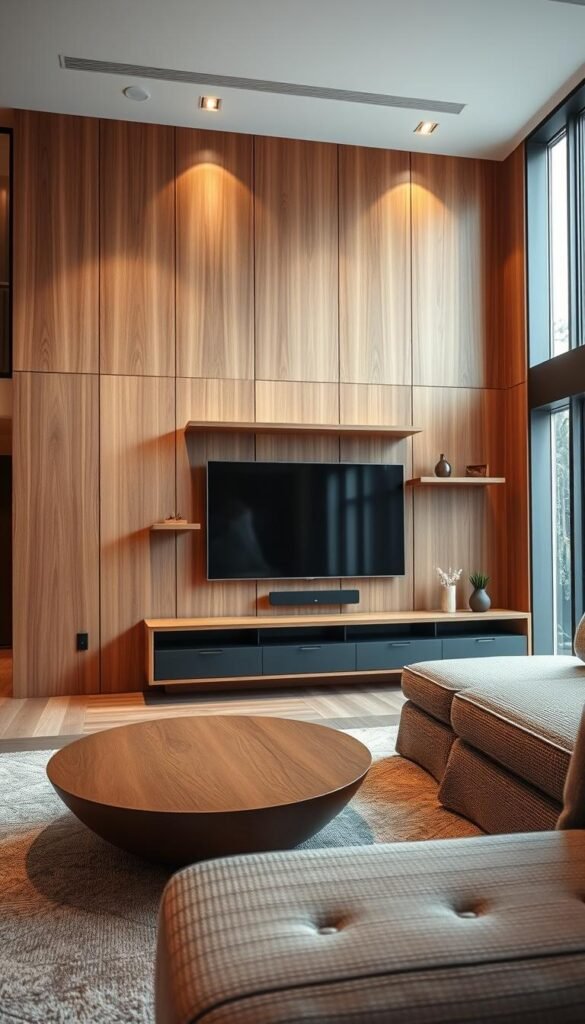
A current-feeling TV wall can come from a few warm materials and sculptural details, not a complete room makeover. One or two thoughtful accents can update the wall while leaving your existing furniture in place.
Warm palettes, natural materials, and useful storage are easier to adapt than a full trend-driven makeover. Living-room directions for 2026-2027 include warm colors, flowing furniture silhouettes, natural stone, luxurious details, and updated modern-farmhouse style.
Use Warm Colors and Soft Color Drenching
Warm colors can make a media wall feel more inviting, especially beside wood or textured fabric. Soft color drenching extends one hue across walls, trim, and millwork. If you already have a neutral room, a warm accent on the TV wall may bring a similar mood with less change.
Natural stone can add a lasting surface that outlives a short-lived color trend. It works well as a material choice when its scale and tone suit the rest of the room. Treat trend colors as accents if you prefer to change decor more often than built-in finishes.
Bring in Sculptural Shapes and Natural Materials
2026 furniture trends include sculptural shapes, textured fabrics, rattan, cane, warm woods, and stone finishes. A curved chair, a textured side table, or one woven detail can soften the straight lines of a TV wall without changing its basic structure.
Flowing silhouettes and natural materials can make the setup feel less rigid. Use a curved object or tactile fabric as a counterpoint to the screen’s flat rectangle. One sculptural piece may be enough, especially when the room already has strong furniture shapes.
Choose a TV Stand With Texture and Cable Storage
Current TV-stand directions include fluted cabinet doors, curved or arched silhouettes, rattan and woven textures, floating units, warmer wood tones, and cable storage. Choose a unit that still gives your equipment a practical place and keeps cords organized.
Latest living room TV-wall ideas can use one or two trend details rather than combining every trend. For example, a fluted cabinet front can feel current beside a simple wall and a familiar sofa. Latest TV wall design for a living room can also be a restrained update, not a full renovation.
Enduring materials such as wood and stone can anchor a look, while a sculptural accent or woven panel brings a fresher note. This balance helps the wall feel current without making every detail dependent on a trend cycle. Choose the trend detail that works with your existing sofa, flooring, and storage needs.
Small Living Room Designs for a TV Wall That Save Space
In a small living room, keeping the floor open often matters as much as the wall finish. A modern TV wall design for a small living room can use a floating console, a restrained backdrop, and one vertical storage feature.
Slim furniture preserves usable floor space and keeps the setup from feeling crowded. Choose seating and tables that leave clear routes through the room, then avoid adding a second storage piece unless it solves a specific need.
Modern TV Wall Design for a Small Living Room
A compact wall can still feel designed when the screen has a clear place and the storage stays light. A single narrow shelf or vertical cabinet can add useful room without filling the whole wall. Keep the backdrop restrained so the screen and furniture do not compete.
Small living room designs for a TV wall work best when each piece has a clear purpose. A floating console can hold essentials while leaving the floor visible. Choose the wall finish and storage together, so neither element makes the room feel tighter.
Keep the Furniture Footprint Light
A streamlined sofa keeps seating visually simple, while a loveseat can suit a shorter wall. A small ottoman can serve as a footrest or flexible extra seat. Compare practical roles before deciding which combination fits your room.
| Furniture | Space-conscious role | Useful pairing |
|---|---|---|
| Streamlined sofa | Keeps seating visually simple | Floating console |
| Loveseat | Offers compact seating | Narrow accent chair |
| Rectangular coffee table | Uses a clear central footprint | Small ottoman |
| Small ottoman | Flexible extra seating or footrest | Loveseat |
| Narrow accent chair | Adds a seat without a bulky profile | Streamlined sofa |
A rectangular coffee table can define the center of the seating area without an oversized shape. Pair it with a small ottoman when you need a footrest that can move out of the way. A narrow accent chair adds another seat while keeping its profile light.
Measure the walking route between the seating and TV wall before adding another piece.
Place the TV Away From Glare and Busy Walkways
A beautiful wall loses its appeal if sunlight washes out the picture or people cross the screen during a show. Room use should guide where you place the display, not just the wall that looks best.
Direct sunlight can affect a TV’s color, brightness, and sharpness. Check how daylight reaches the screen at different times, then consider whether doors or busy paths cut across the view.
Seating sightlines matter too. Sit in the place you use most and check whether the screen stays visible without a doorway, lamp, or tall piece of furniture blocking it. A strong focal point does little for the room if the main seat has a poor view.
Power and HDMI cables also affect the setup. A recessed box or cable raceway can help manage them, depending on the wall and installation. Keep the planned route in mind before finalizing the screen’s location, so cords do not need to cross a visible area.
Use these four checks before settling on a wall:
- Assess daylight and direct sun on the screen.
- Check the main walking path across the room.
- Sit in your usual viewing spot and test the sightline.
- Map the cable route to power and connected devices.
A few minutes observing the room can reveal problems that are hard to notice from a floor plan. Check the proposed location at the time of day you watch most often.
Get Screen Height, Viewing Distance, Mount, and Console Right
A comfortable setup starts with the screen center at your seated eye level and a viewing distance that suits the TV size. Measure from your usual seat before choosing the final position.
For a 4K TV, a viewing distance of approximately 1.5 times the screen size is recommended. Use the size ranges below as a practical starting point, then check the view from your own seating area.
Set Screen Height and Viewing Distance
To find a comfortable screen height, sit in your usual viewing spot and look straight ahead. Measure from the floor to your seated eye level; the screen’s center should align with that measurement. An average seated eye level is about 42 inches from the floor.
At that average eye level, the bottom edge of a 55-inch TV should be about 26 inches from the floor. For a 65-inch TV, it should be around 24 inches; for a 75-inch TV, roughly 22 inches.
- Sit in your usual viewing spot.
- Measure seated eye level from the floor.
- Align the screen center with that measurement.
| Viewing distance | 4K TV size range | Rule of thumb |
|---|---|---|
| 6 feet | 48-55 inches | Approximately 1.5 times screen size |
| 7 feet | 55-65 inches | Approximately 1.5 times screen size |
| 8 feet | 65-75 inches | Approximately 1.5 times screen size |
| 10 feet | 75-85 inches | Approximately 1.5 times screen size |
| 12 feet | 85-98 inches | Approximately 1.5 times screen size |
Match the Mount to the Viewing Angle and VESA Pattern
A fixed mount suits straight-on viewing. A tilt mount works for a screen placed above eye level and can angle it toward the seating area. A swivel mount helps when you watch from multiple seating areas, while a corner mount can save space in a small room.
The VESA pattern is the horizontal mounting-hole distance followed by the vertical distance, written as horizontal × vertical. Measure horizontally and vertically between the four mounting holes on the back of your TV to identify its pattern.
| VESA pattern | Horizontal spacing | Vertical spacing | Usual TV size |
|---|---|---|---|
| 100 × 100 mm | 100 mm | 100 mm | Up to 32 inches |
| 200 × 200 mm | 200 mm | 200 mm | Up to 55 inches |
| 300 × 300 mm or 400 × 400 mm | 300 mm or 400 mm | 300 mm or 400 mm | Larger than 55 inches |
| 600 × 400 mm | 600 mm | 400 mm | Larger than 65 inches |
Choose a Console for Height, Storage, and Cables
A console should suit the viewing height and provide useful storage and cable management. A 22-inch-high console is a low-profile option for low-slung seating. Compare the unit’s height and width with your screen and the room’s available wall space.
The Article Ansel Media Unit is 22 inches high, made of solid oak and oak veneer, and has cord-management holes. The Eric Credenza with Storage by George Oliver is 70.87 inches wide, with open and closed storage plus cable-management slots. The West Elm Douglas Media Console is 48 inches wide, made of solid wood and tatami panels, with cable-organization ports.
| Console | Stated size | Storage or cable feature |
|---|---|---|
| Article Ansel Media Unit | 22 inches high | Cord-management holes |
| Eric Credenza with Storage by George Oliver | 70.87 inches wide | Open and closed storage; cable-management slots |
| West Elm Douglas Media Console | 48 inches wide | Cable-organization ports |
Check that the console supports the equipment you plan to store and leaves practical access to its cable features. Its height also affects how the TV relates to low seating. Measure the screen and mounting holes on your actual set before choosing a mount or console.
Measure your actual TV’s mounting holes and screen before you buy hardware or settle on a console.
Choose the TV Wall That Fits Your Room and Routine
The right TV wall is the one that looks at home in your room and works for the way you watch. Choose one defining material or color, then check that the storage and viewing position support daily use.
You do not need to change every surface to make the screen feel intentional. A focused choice can connect the wall to the rest of your home while keeping the setup practical.
Take one immediate step before shopping or scheduling installation: measure the wall and mark your preferred screen center. Measure the wall and mark your preferred screen center, then use those measurements to make your design choices.